Showing posts with label Squidoo lenses. Show all posts

Monday, July 05, 2010

SEO for Squidoo Lenses


I was recently asked about the need to add
meta tags to Squidoo lenses for SEO purposes.

For one thing, Squidoo would not allow the
relevant coding. For html code that is allowable,
visit:
http://www.squidoo.com/basichtml

However, the main issue is that it is totally
unnecessary as the meta tags are auto-generated
by Squidoo (thanks to Seth's genius).

Meta tags are already embedded in the lens templates.
This is why Squidoo stresses the importance of
lens title, description, primary tag and other tags
- these are actually meta tag fields!

By way of example, here's some of the code
automatically created for one of my lenses:
http://www.squidoo.com/improve-personal-productivity

HTML code generated by Squidoo (an extract):

meta name="description" content="Personal
productivity is the antidote to stop procrastination.
This lens offers a range of strategies to improve
personal productivity online. It includes stop
procrastination tips... (full lens introduction)

meta name = "keywords" content="personal
productivity, audioboo, beat procrastination,
building focus and productivity, chakra energy,
chakra for productivity...(all tags)

property="og:title" content="Improve
Personal Productivity - Stop procrastination,
focus on productivity" (lens title)

So you can see how critical it is to get your
title, description and keywords right.

Also you need to remember that Google indexes
the whole of a Squidoo lens, including module
titles, module sub-headings, videos and even
comments. For more on this deep indexing
aspect visit my previous post:

Deep Indexing of Squidoo Lenses

If you want to check out some of these ideas for
your own lenses, here's some instructions:

Meta Tag Coding in Google

1. Enter your Squidoo lens URL in your browser.
2. Click "View" and then "Page Source" (HTML will appear)
3. Search for "meta" ("edit" and "find").

Check Google Indexing of Your Lens

This is a bit more difficult. You have to be
able to find a Google search result for the
keyword for your lens.

Take for example, when I search on - improve
personal productivity - my lens comes up on
page 2 (11th result). Here's the entry (note
the importance of lens title - shown in the
Google listing):

Improve Personal Productivity - Stop procrastination,
focus on
... - 7:27am
1 Mar 2010 ... Personal productivity is the antidote
to stop procrastination. This lens offers a range of
strategies to improve personal productivity ...
www.squidoo.com/improve-personal-productivity
- Cached

Now notice "cached" at the end of the listing
and click on this. You will see that Google highlights
in color any occurrence of the keywords - improve,
personal and productivity. Here's an example from
my lens description:
improve personal productivity

Now you can see what Squidoo indexes in your lenses
and what you can do to improve your ranking for your
keywords!

Google picked up productivity in the comments from
the guestbook.  Implications:
1. encourage quality comments (and reply to them
using your keywords or variants of them)

2. help out your fellow lensmasters by providing
quality comments on their lenses (using their keywords
or semantically related words).

If you want some way to regularly update your lenses, try
replying to the comments on your lenses.

*********************************************
Ron Passfield is a Top 100 Squidoo Lensmaster and
Giant Squid100. He provides free resources
for Squidoo marketing on his Squidoo authority
site:
http://www.squidoo.com/squidoomarketingstrategies

To learn more about Squidoo Affiliate Marketing
check out:
http://www.squidooaffiliatemarketing.com

Subscribe to Ron's free Squidoo Marketing e-course:
http://www.smsecourse.squidoomarketingstrategies.com/

Ron is the author of the e-Book:
Squidoo Marketing Strategies

*********************************************


SquidooRoo is coming - 6 month social media marketing course.

Sunday, September 13, 2009

Hostgator.com review - why choose Hostgator for web hosting?


I have been with Hostgator.com since 2006 and currently have
five web sites hosted with them.  Besides hosting your website
you can easily add a WordPress Blog.

What appeals to me about Hostgator as a web hosting
service is:
  • online chat facility to address any technical problems
  • quality training materials including videos 
  • speedy response to requests
  • competent, expert staff
  • capacity to have unlimited domains and sub-domains on the one site
  • web space capacity that exceeds any comparably priced web hosting service
  • ease of use of the Cpanel
  • capacity to create data bases for applications such as membership sites
  • inbuilt FTP for uploading files or images 
  • ease of adding Wordpress Blogs
  • php hosting (php is used for many forums and membership sites)
I have used Hostgator.com for hosting:
  • sub-domains to cloak affiliate links
  • images for download to my blogs or Squidoo lenses
  • sales pages for MRR products and my e-book
  • niche video sites (specialized script)
  • lead capture and pre-sell squeeze pages
  • Wordpress blogs
  • ebooks, scripts and videos for download
I can't speak highly enough about the ease of use, quality of service
provided and value for money in terms of capacity and functionality.

I have used many free and paid hosting services before Hostgator
and none are comparable.  If you are going to join Hostgator
use the coupon code "wordpress" to get a reduced rate:
Join Hostgator Now


**********************************************
Ron Passfield is a Top 100 Squidoo Lensmaster and
Giant Squid. He provides free resources
for Squidoo affiliate marketing on his Squidoo authority
site:
http://www.squidoo.com/squidoomarketingstrategies

To learn more about Squidoo Affiliate Marketing
check out:
http://www.squidooaffiliatemarketing.com

Subscribe to Ron's free Squidoo Marketing e-course:
http://www.smsecourse.squidoomarketingstrategies.com/

Ron is the author of the e-Book:
Squidoo Marketing Strategies

************************************************

Thursday, September 03, 2009

Squidoo: Squidoo Lens Design - Baby Boomers Health


In a previous post, I identified the
7 Top Strategies for Lens Creation,
so I will use these steps as a framework
for discussing this new lens.


1. Purpose of the Squidoo Lens

In this lens I wanted to focus on the health and wellness
of Baby Boomers, challenge a damaging myth about
BabyBoomers and technology and promote an affiliate
program for anti-aging fitness.

2. Concept of the Squidoo Lens

The concept for this lens evolved as I researched existing
Squidoo lenses on Baby Boomers.  There were some that
focused on specific illnesses like Alzheimer's, others
looked at senior's fitness or the unique health challenges
for BabyBoomers.  Others focused on retirement issues.

I needed to come at the issue of baby boomers health
from a different angle.  I decided to focus my lens
around the health benefits for Boomers of technology,
the Internet and specifically, Squidoo.  So I linked my
discussion to Seth Godin's ideas, the benefit of technology
for promoting connection and creativity, the health benefits
of new learning and the adverse effects of myths about
aging and learning technology.  So technology and
senior's health became the unifying theme.

3. Lens Design to Meet Concept and Purpose

I thought the best way to personalize the lens was to share
some of my own experiences and research via the
"Sticky Note Module".

I also wanted to provide some "Baby Boomer" context for
the lens by adding YouTube Videos, Google Blog and News
Modules, and Amazon.com books on Baby Boomer health
and well-being.

4. Keyword Research

I undertook keyword research using two tools -
The Google Adwords Keyword Tool and the
Google Insights for Search.  These tools informed
my choice of available URLs for my lens and provided
guidance for my tags and the use of long tail keywords 
throughout the lens.

5. Develop Content

The content flowed from my purpose and lens concept.
I shared some facts from my personal experience and
research and provided relevant links such as the social
networking site for Baby Boomers, BOOMj.

I also wanted to link to quality Squidoo lenses that covered
some of the other aspects of Baby Boomer Health, so I
did a search on Squidoo and selected 5 lenses to add
to my "Featured Lenses Module".

6. Source Images

The photos came from two sources. The first was
provided by my subscription to PLR Newsletters
and the second through membership of BigStockPhotos.

The difficulty I had in locating an image with a Baby Boomer
using technology reinforces my experience that there is an
implicit assumption that over 50's can't learn technology and
don't use it very much.  My lens provides some statistics to
challenge this.

7. Revisit, Refine, Link and Promote

For further refinement, I will be exploring the use of PLR content
provided by way of the PLR Newsletters.  This could involve
linking a blog with RSS feed to the lens, rewriting articles for
use on the lens and/or in article directories, creating an
e-book that links back to the lens or developing a video or
mp3 audio from the PLR newsletters.


Key Lesson: Sometimes your concept evolves as you gather
resources for your lens and start working on it.  The creation
of a lens is not always a simple linear process from step 1 to 7.
It can often involve an iterative process where you move
backwards and forwards through these steps.

Related Posts:

Top 7 Steps for Squidoo Lens Design
Long Tail Keywords and Deep Indexing of Squidoo Lenses


**********************************************

Ron Passfield is a Top 100 Squidoo Lensmaster and
Giant Squid. He provides free resources
for Squidoo affiliate marketing on his Squidoo authority
site:
http://www.squidoo.com/squidoomarketingstrategies

To learn more about Squidoo Affiliate Marketing
check out:
http://www.squidooaffiliatemarketing.com

Subscribe to Ron's free Squidoo Marketing e-course:
http://www.smsecourse.squidoomarketingstrategies.com/

Ron is the author of the e-Book:
Squidoo Marketing Strategies

************************************************

Saturday, August 22, 2009

Giant Squid Open Mike - Monday 18 August 2009

Well I was the guest speaker on BlogTalkRadio for
the Giant Squid Open Mike Show on
Monday 18 August.

This was great fun and a fantastic way to connect to
people and hear their voices. Besides, it is a great
forum for learning about Squidoo and Web 2.0 marketing.

This venture by Joan Adams and Kate Loving Shenk
is very much in line with Seth Godin's philosophy of
collaborative marketing epitomized by the Squidoo
platform itself.

On the 18 August session we talked about:
  • RedGage social bookmarking site
  • How best to use Redgage to promote your Squidoo lenses
  • Long tail keywords
  • Quality comments on social bookmarking/networking sites
  • Developing your Google profile
The Giant Squid Open Mike is open to all Squidoo lensmasters
and is held on Mondays at 4pm Eastern.

To listen to the recorded version of the 18 August session,
visit this link:
Giant Squid Open Mike - 18 August 2009

For a summary of the session by Kate Loving Shenk,
visit below:
Summary - Giant Squid Open Mike - 18 August 2009


**********************************************
Ron Passfield is a Top 100 Squidoo Lensmaster and
Giant Squid. He provides free resources
for Squidoo affiliate marketing on his Squidoo authority
site:
http://www.squidoo.com/squidoomarketingstrategies

To learn more about Squidoo Affiliate Marketing
check out:
http://www.squidooaffiliatemarketing.com

Subscribe to Ron's free Squidoo Marketing e-course:
http://www.smsecourse.squidoomarketingstrategies.com/

Ron is the author of the e-Book:
Squidoo Marketing Strategies

************************************************

Wednesday, August 12, 2009

Footpath Library Squidoo Lens wins Purple Star Award


My Squidoo Lens about the wonderful
Footpath Library initiative recently won
a Purple Star Award.

The Purple Star award is given only for outstanding lenses
created by Giant Squids. So you have to first become a
Giant Squid to be eligible.

Details of the Purple Star Program on Squidoo can
be found here:
http://www.squidoo.com/purplestar

How to win a Purple Star? Here's the advice from the
Program organizers:

"Your Giant Squid Organizers will dust standout lenses,
both new and old, at any time of the day or night, with
purple stars. Masterpiece lenses. Lenses making a name
for themselves. Lenses trying new things. And yes,
even (and perhaps especially) the best lenses made as
part of the Giant Squids Summer School!

The best way to get picked is to get yourself
noticed for your incredible content, for trying
new ideas and modules, for running conversations
on your lenses, for standing out from the crowd.
Do that enough, and the purple star fairy
will find you."


A Purple Star award gives you a lensrank boost,
a Purple Star on your lens, rights to "boast",
added exposure and a ticket in a lottery with
a range of prizes.

The Footpath Library lens that won the Purple
Star Award highlights the fantastic work of Sarah
Garnett in providing free books to the homeless and
disadvantaged. It tells the story of this amazing
initiative via narrative, images, interviews and a
moving video.

The lens links Sarah's work as leader of a "Tribe"
to the book by Seth Godin:
Tribes: We Need You to Lead Us

The Squidoo lens also draws on the very latest
research that suggests "we are what we read":
Proust and the Squid: The Story and Science
of the Reading Brain


Related Posts

Squidoo: You Can Make a Difference

Squidoo: The Challenge to make a Difference

**********************************************
Ron Passfield is a Top 100 Squidoo Lensmaster and
Giant Squid. He provides free resources
for Squidoo affiliate marketing on his Squidoo authority
site:
http://www.squidoo.com/squidoomarketingstrategies

To learn more about Squidoo Affiliate Marketing
check out:
http://www.squidooaffiliatemarketing.com

Subscribe to Ron's free Squidoo Marketing e-course:
http://www.smsecourse.squidoomarketingstrategies.com/

Ron is the author of the e-Book:
Squidoo Marketing Strategies

************************************************

Tuesday, August 11, 2009

Google Indexing of Squidoo Lenses


In a recent invited post for the SquidLog blog, I highlighted
the need to be conscious of the way that Google indexes
Squidoo lens.

Some of the key messages were:
  • it is not enough to concentrate on your primary keyword alone
  • too much emphasis on the primary keyword can result in loss of rank
  • using keywords irrelevant to the lens focus can result in penalties
The secret is to think broad and stay relevant. Great teachers
can express the same concept in multiple ways. Good SEO involves
writing with the primary keyword in mind while linking it to related
terms and phrases.

[In one sense, it's like applying the principles of "anchor text",
but on a broader level.]

Throughout this blog discussion, I used the search results for my
digital storytelling Squidoo lens as an example.

For the full text of this discussion, visit:
Keywords and Deep Indexing of Squidoo Lenses

**********************************************
Ron Passfield is a Top 100 Squidoo Lensmaster and
Giant Squid. He provides free resources
for Squidoo affiliate marketing on his Squidoo authority
site:
http://www.squidoo.com/squidoomarketingstrategies

To learn more about Squidoo Affiliate Marketing
check out:
http://www.squidooaffiliatemarketing.com

Subscribe to Ron's free Squidoo Marketing e-course:
http://www.smsecourse.squidoomarketingstrategies.com/

Ron is the author of the e-Book:
Squidoo Marketing Strategies

************************************************

Monday, June 01, 2009

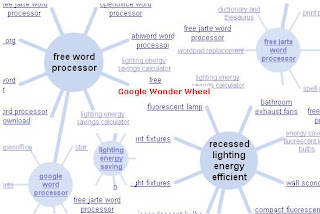
Squidoo lenses: Use Google's Wonder Wheel


Image as illustrated on http:/googlewonderwheel.com

Google has increasingly committed to providing
diversification in both search results and search tools.

The Wonder Wheel is a great example of this.

In May this year Google released the Wonder Wheel
which shows search terms that are related to your
primary search and does so in the form of a wheel.

This visual image highlights the way Google views the
relationship between keywords.

You can deepen your keyword research by clicking
on any of the keywords in the wheel and this takes you
to another wheel of related terms.

You can then use the keyword research to build
Squidoo lenses (or a network of them), increase the
coverage of your tags, write articles around related
keywords or even build HubPages linked back to your
Squidoo lens.

How do you access the Google Wonder Wheel?

Here's the drum:

1. Go to Google.com and search for your keyword

2. Click on "show options" at the very top of the search results

3. From the menu displayed on the lefthand side locate "Wonder Wheel"

4. Click the Wonder Wheel menu item

5. Your first-level wheel will be displayed

6. Now you can click on any hyperlinked keyword on the wheel to
go to another level of research.

For further information, check out:
Google Wonder Wheel

Don't forget to do something with the results!

************************************************

Related Posts

Video: Google Insights for Search

Classified Ad Syndication and Google Insights for Search
Squidoo Lenses: Local marketing

*************************************************

Ron Passfield, PhD, is a Top 100 Squidoo Lensmaster and
Giant Squid. He provides free resources for
Squidoo affiliate marketing on his Squidoo authority
site:
Subscribe to Ron's free Squidoo Marketing e-course:

Ron is the author of the e-Book:

************************************************

Thursday, May 21, 2009

10 Ways to Get Traffic to Your Squidoo Lens

We often talk about Squidoo as a Google magnet - which it is.
However, Squidoo traffic generation has to be a two-way
street.

Google values Squidoo lenses because they are focused and
regularly updated. However, Google also assesses popularity
- the level of traffic attracted by the Squidoo lens and it's
backlinks.

This all goes into the mix in determining the page ranking and
positioning of a Squidoo lens on Google - and the resultant
level 0f organic traffic to the Squidoo lens.

Squidoo, in turn, takes traffic into the equation when it
assesses lensrank. Traffic, understandably, is a major
component of Squidoo lensrank. Additionally, the higher
your lensrank, the more traffic you will get from
Squidoo members themselves.

There has also been the suggestion lately that Google
takes the Squidoo lensrank into account when determining
the page rank and positioning of a Squidoo lens. I can't verify
this statement but it is consistent with my own observations
of my lenses.

So the basic message is - don't just create a lens and expect
traffic to flow to you. You still have to work at
generating
traffic to your Squidoo lens.

The payoff is the compounding effect that traffic generation
has - on your Squidoo lensrank, your Google page rank and
positioning and your direct Squidoo traffic flow.

10 Ways to Get Traffic to Your Squidoo Lens

1. Write and submit articles to article directories

2. Create your own blog posts

3. Make comments on other related blogs

4. Use Twitter daily

5. Write a free e-book with links to your Squidoo lens

6. Use free classified ads

7. Participate in Giveaways or free downloads

8. Use pay per click (PPC)

9. Use paid advertising

10. Use social bookmarking.

The combined effect of these traffic methods can boost
your organic Google traffic, build your lensrank and
increase your Squidoo direct traffic as well.

**********************************************
Ron Passfield is a Top 100 Squidoo Lensmaster and
Giant Squid. He provides free resources
for Squidoo affiliate marketing on his Squidoo authority
site:
Subscribe to Ron's free Squidoo Marketing e-course:

Ron is the author of the e-Book:

************************************************

Thursday, May 07, 2009

Squidoo lenses: using SquidUtils Toolbar

The SquidUtils.com site is something you have to
see to believe.

This has a tremendous range of tools that you can use
to improve your Squidoo lenses and management of
your Squidoo groups.

This website based collection of tools, developed by
thefluffanutta, is quite extraordinary and includes
features such as a Squidoo chat room, RSS feeds for
your lenses, links to a Squidoo lens auction site,
pinging facility.... (and the list goes on).

A visit to the SquidUtils site is a must for
the committed Lensmaster:
http://squidutils.com/

BUT before you go, check out what
you can
add to your own Browser Toolbar.

The SquidUtils Toolbar lets you:
  • Keep up to date with the latest blog posts from Squidoo HQ
  • Switch easily between multiple Lensmaster accounts
  • Quick access to your dashboard, with notification of Lensrank updates
  • Rate, favorite and comment on lenses without scrolling up and down
  • Submit a lens to social bookmarking sites and lens directories
  • Build a new lens with any of the co-brands
  • Access affiliate RSS feeds for Amazon products
  • Direct access to all the tools you love at SquidUtils.com
The SquidUtils Toolbar is available for Windows, Mac,
and Linux on Internet Explorer and Firefox
.

CHECK out these free tools now and start using them
today:
SquidUtils Toolbar

**********************************************
Ron Passfield is a Top 100 Squidoo Lensmaster and
Giant Squid. He provides free resources
for Squidoo affiliate marketing on his Squidoo authority
site:
Subscribe to Ron's free Squidoo Marketing e-course:

Ron is the author of the e-Book:

************************************************

Friday, May 01, 2009

Squidoo lenses: using the SquidUtils function on your Squidoo lens

If you have downloaded the SquidUtils
workshop addon feature for Firefox, you will
make management of your lenses and groups
that much easier.

When you are in edit mode for your Squidoo lens,
you can see a heading, SquidUtils.com,
below the TAGS heading in the right hand column.

If you click on the arrow beside the SquidUtils.com
heading, you will see a drop-down menu with
the following options:

1. Ping - this enables you to ping the search engines
and blog directories, when you have a new lens or made
significant change to an existing lens. This is a great
tool because you can ping from within the edit
mode once you edit and publish.

2. Check backlinks - enables you to see how many
and what sites are linking back to your lens. This
backlinking is a major factor influencing lensrank and
Google PR.

3. Table Generator - enables you to convert your
data into a table - great tool.

4. Amazon Links & RSS Feed - you can generate links
for individual Amazon products as an affiliate or an RSS
feed of multiple products. This feed can include items
from a particular category (node), or items from List.
The feed will also include images and formatting,
unless you decide to turn it off. This is very handy
if you are seriously promoting Amazon.com products.

This SquidUtils.com workshop feature has been
developed by Giant Squid, thefluffanutta , and is one
of the many Squidoo tools that have been created to
make life easier for Squidoo lensmasters.

If you want to know more about SquidUtils, check out
my next post.

**********************************************
Ron Passfield is a Top 100 Squidoo Lensmaster and
Giant Squid. He provides free resources
for Squidoo affiliate marketing on his Squidoo authority
site:
Subscribe to Ron's free Squidoo Marketing e-course:

Ron is the author of the e-Book:

************************************************

Squidoo lenses: how to select modules

It is even easier now to create great Squidoo lenses
with the new module showcase to help you select
your Squidoo modules.

You can access the showcase by editing lenses as you
normally would and clicking the "Add Modules" button
on the top right hand side.

The new showcase will appear and you can make
your choice of module.

You can check out the most popular, see modules by
category (sell stuff, write stuff, web stuff, social stuff)
and even create your own list of favorites.

Megan Casey explains the new Module Picker here:
http://www.squidoo.com/new-module-showcase

As with all things Squidoo, there is always assistance
and guidance on hand to help you. Ener-G,
aka Gia Combs-Ramirez, has created a special
lens to act as mentor in your choice of modules. Gia
shows you how to use the different types of modules
in her module mentor lens:
http://www.squidoo.com/modulementor


**********************************************
Ron Passfield is a Top 100 Squidoo Lensmaster and
Giant Squid. He provides free resources
for Squidoo affiliate marketing on his Squidoo authority
site:
Subscribe to Ron's free Squidoo Marketing e-course:

Ron is the author of the e-Book:

************************************************

Monday, April 27, 2009

How to become a Giant Squid

How to Qualify:

You need to create 50 great Squidoo lenses.

Benefits:

From Megan Casey (Editor in Chief, Squidoo)

"1. Access to our (secret) Giant Squids blog and
RSS feed, full of first-looks at new features and
insider tips.

2. A private email address to reach us about
Lens of the Day submissions.

3. A Giant Squid badge on all your lenses.
(And your bio/profile page too).

4. Gold stars on all your published, featured lenses.
Gold stars not only look nifty to your readers,
they also give you a little LensRank boost.

5. Your shot at making The Giant Squids Top 100
list, a list of the top Giant lenses, sorted by LensRank.

6. A Custom Lens Template tool. This one's BIG.
You can have multiple customized lens templates,
to help you pre-populate new lenses with modules
and copy that you like. Makes making lenses faster.

7. Did we mention first crack at our coolest new tools
and features? For example, the Giants got to hear
about HeyMonkeyBrain, Squidaholic.com,
the new dashboard, the Lensmaster Bio redesign,
MagicBuilder, Prediction module, and lots more
--days before the rest of Squidoo.

8. A chance at being featured on the
Giant Squid Community Showcase.

9. The power to nominate! When it's time for
the next round of new Giants to join the ranks
Giants can nominate the people they think
really deserve it.

10. No daily lens limits. Here's another big one!
You can start as many lenses a day as you want,
and you can have as many unimproved lenses
under construction as you need. We trust you.
We know you're going to build them out eventually.

11. Greenlighting. Have you heard of, or run up
against, our SquidDon't spam filter? It checks lenses
for language and topics that are not welcome on
Squidoo. But quite often, while we're playing it safe,
there are false positives. And that can be
frustrating. So we're greenlighting all our Giants,
so you never get stuck in the spam filter again.

12. Bonnie, Patti and Robin: your Giant Squid
Organizers. Heck yes they're a perk (to quote
Napoleon Dynamite). They're in your corner,
constantly representing and supporting and growing
the Giants program. That might be an intangible,
but it's an important one.

And there are new giant perks being
added all the time!
"

For example, 60 Giant Squids will get to have a
phone hook-up with Seth Godin shortly to discuss
questions and future directions for Squidoo.

There are lots of resources to help you become
a Giant Squid:
How to Become a Giant Squid
Giant Squid Mentor

If you want help to become a Giant Squid,
you can contact me through Squidoo (via one of
my lenses).

**********************************************
Ron Passfield is a Top 100 Squidoo Lensmaster and
Giant Squid. He provides free resources
for Squidoo affiliate marketing on his Squidoo authority
site:
Subscribe to Ron's free Squidoo Marketing e-course:

Ron is the author of the e-Book:

************************************************

Wednesday, April 22, 2009

Squidoo lens: Who are YOU?

When someone visits your Squidoo lens, blog
or website, they are unconsciously asking themselves
a number of questions about you:
  • who are you?
  • what have you got to offer?
  • where is the evidence of your capacity to provide advice?
  • what value can you add to what I am doing?
Elsewhere I have written about the value of building
your Internet profile:
6 Great Reasons To Build Your Internet Profile

More recently I discussed why you should create
an authority site:
7 Top Reasons Why You Should Build an Authority Site

Squidoo provides you with the opportunity to make
a statement about who you are. This comes in the form
of the specialized Squidoo lens, SquidWho:
http://www.squidoo.com/squidwho/hq

You can use this Squidoo lens for a number of purposes
including creating a profile of your favorite person or band.

However, Squidoo encourages you to create a
SquidWho lens about yourself.

My SquidWho lens can be found here:
http://www.squidoo.com/ron-passfield

Seth Godin suggests in his e-Book,
The Joy of Squidoo, that my autobiographical
lens is a good exemplar.

What you can see from my SquidWho lens is that I
readily share who I am, what my passions and interests
are, why I have created particular Squidoo lenses and
what my background is.

For example, it can be seen that my online learning
and mobile learning lenses are based on 5 years
experience facilitating the implementation of
online learning nationally within the vocation and
education sector in Australia.

SquidWho lenses are great fun to develop - Squidoo
automatically creates some of the content for
different modules by searching the Internet for info
about you - blog posts, articles, forum comments, etc.

You very quickly learn what your Internet footprint
is - that is, how much other people are exposed to you
and what you do online.

So when are you going to create your SquidWho
lens
and build your Internet profile?

**********************************************
Ron Passfield is a Top 100 Squidoo Lensmaster and
Giant Squid. He provides free resources
for Squidoo affiliate marketing on his Squidoo authority
site:
Subscribe to Ron's free Squidoo Marketing e-course:

Ron is the author of the e-Book:

************************************************

Tuesday, April 21, 2009

Combine classified ad syndication with Google Insights for Search

In a previous post I gave an update on the
Google Insights for Search Tool.

This tool enables you to conduct fine-grained
market research for any keyword.

The beauty of Google Insights for Search is the
capacity to identify trends by country or by
region/city within a country.

It also provides data re "top searches" and "rising
searches" down to the city level.

Thus it is a great tool for local internet marketing.

Google Insights for Search does not provide absolute
numbers in terms of search results, but provides
a weighted number as an indication of the strength
of the trend. Trend data from this tool can be
supplemented with the search volume details provided
by the Google Adwords Keyword Tool.

However, the real power of Google Insight for Search
is its ability to enable local internet marketing
via free classified ad sites.

Jinger Jarret has a great free member site with
a free report, audios and 48 hour marketing plan
to help you use free classified ads effectively.

You can check out her free marketing resources here:
Killer Marketing Arsenal

Jinger goes further and provides a
premium membership ($10/month) with
these great benefits:

1. 52 Week Internet Marketing Ecourse

You will start with the simplest techniques, like free
classifieds, and work your way into the more complicated
techniques like search engine optimization.

2. Classified Ads Syndication

Submit unlimited classified ads to the classified ads sites.
Jinger submits your ads to over 200 classified ad sites
including Google Base, Yahoo, MSN, Facebook, MySpace,
Walmart, Local.com and others. This will save you a
huge amount of time in marketing your business, and while
you will be allowed to submit unlimited ads, comparable
systems will cost you $35 - $75 a month and you may
only submit a total of 60 - 125 ads depending on the site
you use.

3. Classified Ad Ecourse

This is a complete step by step course Jinger has written
to help you learn how to market using classifieds, as
well as write classified ads. Includes access to
Terry Dean's Killer Ad Bootcamp, the best course available
for teaching you how to write ads.


If you are serious about using local online marketing,
the Google Insights for Search (GIST), in combination
with Jinger's classfied ads syndication service, will give
you great advertising power.

It will save you heaps of time and money to have your
free classified ads syndicated across 200 advertising sites.

I have taken out the premium membership and found
Jinger's classified ad site easy to work with. I am currently
using it to promote my Squidoo lenses, my e-books and
affiliate products. Jinger's classified ad report shows you
how to make the most of this facility.

For example, I used the GIST tool to isolate a trend for a
particular keyword and then used Jinger's classified ad site
to target my ad to particular cities in Nevada and Florida
that showed up on GIST as having high search volumes
for that keyword.

To find out more about Jinger's classified ad
syndication
service, visit:
Killer Marketing Arsenal

**********************************************
Ron Passfield is a Top 100 Squidoo Lensmaster and
Giant Squid. He provides free resources
for Squidoo affiliate marketing on his Squidoo authority
site:
Subscribe to Ron's free Squidoo Marketing e-course:

Ron is the author of the e-Book:

************************************************

Thursday, March 26, 2009

Creating posts for your blog and Squidoo lenses

I don't know about you but I often have trouble thinking
up ideas for blog posts in the middle of my everday
business and home life.

The one exception is when I get a creative urge at 4 am
in the morning (I'm a morning person!). Most other times
I need the stimulus of something else to get my brain
churning.

On one of my morning walks it suddenly hit me that I
had hundreds of resources on my computer that could
act as a catalyst for blog posts or posts for Squidoo modules.
I realised I could use the ideas in Squidoo text modules, link
modules or in comments on other Squidoo lenses.

Now I use the following as a stimulus for my ideas for
posts (and add them to my business journal):

  • e-Books
  • videos
  • podcasts (I listen to these on my iPod during morning walks)
  • emails from other marketers
  • email enquiries from subscribers
  • articles in article directories
  • webinars
  • sales pages of major product launches
  • membership sites (free and paid)
  • PLR content
  • blog posts by other bloggers
  • ...and the list goes on.

The reality is that you receive heaps of stimulus for
ideas every day and have an endless store of information
on your own computer to use for blog posts or posts to
Squidoo modules.

Don't just copy what others have written or spoken
- add your own value. Some hints on how to add value to
the ideas that you encounter:
  • relate the idea to the focus of your blog/Squidoo lens
  • add personal experiences
  • illustrate with examples
  • concentrate on one key idea and tease it out
  • link to other ideas that you are aware of
  • expand on, or clarify, a key point/resource
  • link your post to other things you have written or created
You can link to articles you have written or videos you have
created (as I did above with the hotlink to "morning walk").
You can also add in links to relevant affiliate products - a
much more natural way to promote.

Reading, listening and viewing create new connections in
your brain and enable you to link to other ideas/experiences
in your brain store. As you write your posts you are building
your knowledge base, creating a directory of information
for yourself and others and moving yourself along the path
to creating your own profitable product(s).

You can make the most of your time by listening to material
on your walks or creating advertising credits as you
read articles (as you can with the Affsphere Article Directory).

I can assure you that you will build Squidoo lensrank when
you add unique content to your lens and you will also build
the Google positioning/ranking of your blog if you continue
to add new material.

[Personal note: This blog held No 1 position in Google for its
targeted keyword for a number of years (created in 2005).
It is now at No.2 - displaced by my Squidoo lens:
Affiliate Marketing Coach (created on 23 March 2007).
Around 2007, the blog had a PR5 ranking but gradually
lost this when I started to post irregularly (once a month).
I am starting to rebuild PR again.]

********************************************
Ron Passfield is a Top 100 Squidoo Lensmaster and
Giant Squid. He provides free resources
for Squidoo affiliate marketing on his Squidoo lens:
Subscribe to Ron's free Squidoo Marketing e-course:

Ron is the author of the e-book:

********************************************

Monday, July 07, 2008

Squidoo Marketing: Showcase a photographer


Photo Credit: Sunset Paddling, Maroochy River by Barbara J H on Flickr


Showcase a Photographer on Squidoo

Photos and videos are all the rage on the Internet - witness
the growth of Flickr, YouTube, MySpace and Facebook.

One way to enter the mainstream is to showcase a
photographer on Squidoo.

You can create a Squidoo lens focused on some aspect of the
photographer's work or their photographs of a particular
location or theme. Find whatever focus best presents the
the distinctive work of the photographer.

There are numerous, superb photographers on Flickr.

Recently, I noticed the stunning photography of Barbara J H
on Flickr when I created my Squidoo lens on Maroochydore.

I approached Barbara and sought her permission to showcase
her photography on a number of Squidoo lenses. I undertook
to make the lenses non-commercial, to donate my lens proceeds
100% to charity and to keep the lenses focused on her photography.

Barbara readily agreed although she had not previously heard of
Squidoo. My challenge then was to find a focus for the first lens -
Barbara has 4,500 photographs on Flickr.

I decided in the first instance to stay with Maroochydore as the
main focus and to create a lens that showed
Maroochydore
through the eyes (and camera lens)
of Barbara J H.


This resulted in the creation of the following lens:
http://www.squidoo.com/BarbaraJH-Maroochydore

One of my challenges in developing this lens was to decide
how best to present Barbara's photography.

Eventually I came up with the idea of making the lens
a photographic art exhibition displayed in
an art gallery
.

So I used a number of different modules to create this
impression:

1. for landscape photos, I used the text/write module
so that I could display full-sized photos to showcase the
perspective involved;

2. for photos focused on flora or fauna, I used the Flickr
module with "thumbnails" to create a montage around a
theme (e.g. flora or fauna).

3. to create introductory notes for each module (as you
would see in an art gallery), I used the "Sticky Note"
widget.

You can see the effect here:
http://www.squidoo.com/BarbaraJH-Maroochydore

To display the landscape photos, I first downloaded them
from Flickr to my computer and then uploaded them
to my website hosted on Hostgator. Then I entered
them in the text/write module using html code that
enabled display of hyperlinked images.

The net result is a walk-through photographic art gallery
with photos grouped around various themes -
Maroochy sunrise, winter in Maroochydore, flora
in Maroochydore, etc. (I started with sunrise photos
and ended with sunsets over Maroochy):
http://www.squidoo.com/BarbaraJH-Maroochydore

Barbara was delighted with this showcase of her work
because it opened up the opportunity for more people
to enjoy her photography and see the beauty of
Maroochydore, her home town.

A fringe benefit is that Barbara has now joined Squidoo
and is showing all her friends the Squidoo lens I created
to showcase her work.

This is just one of numerous applications of Squidoo.

If you want to learn about more applications, check out
the new, free ebook by Seth Godin and Megan Casey -
The Love of Squidoo: The Official Free Recipe Guide

[Note: you will also find heaps of other Squidoo resources
on this Squidoo Answer Deck page.]

************************************************
Ron Passfield is a Giant Squid and Top 100
Squidoo Lensmaster

... and provides free resources for Squidoo affiliate
marketing on his Squidoo lens:
http://www.squidoo.com/squidoomarketingstrategies

Subscribe to Ron's free Squidoo Marketing e-course:
http://www.smsecourse.squidoomarketingstrategies.com/

Ron is the author of the ebook:
Squidoo Marketing Strategies

****************************************************

Technorati Tags:
, , , , , , , ,


Click Here For Free Course


Monday, November 05, 2007

Google Blog Slap: Squidoo to the rescue

Google recently did a re-rank of web sites and particularly
blogs.

Many of the world's best blogs dropped in Google page ranking
(PR) e.g. from PR7 to PR5 or PR5 to PR3.

This action by Google has been the subject of heated debate
on blogs across the globe.

The interesting fact is that many of the blogs have had their
page rank restored. In some cases this was because they were
not in fact using paid links at this point in time.

The story so far

Here's a tracking of the story:

Darren Rowse, Problogger.com (PR7), wrote about it when
it first happened. He identified the fact that Google was
penalising "authority sites" for using paid (sponsored)
advertising links:

Problogger dropped to Page Rank 4
(Problogger drops from PR 6/7 to PR4)

Google Page Rank Pendulum Swings Again
(Problogger back to PR7)

A blogger reports that paid links are now worth more
(many bloggers have stopped using paid links
but there are still people willing to pay ...and pay
even more)

Andy Beard has shown the progression in ranking
after the third round. This great list gives you the
top blogs (so why not comment on them!). Check it out
here:
http://andybeard.eu/2007/10/pagerank-update-2.html

What has this got to do with Squidoo?

Well Squidoo seems to be going from strength
to strength
while all these changes are going on.

Here's the Google ranking of three
of my lenses
(at least at the time of writing):

http://www.squidoo.com/squidoomarketingstrategies - PR5

http://www.squidoo.com/digital-storytelling - PR4

http://www.squidoo.com/onlinelearningresources - PR4

Google PR5 is a ranking usually reserved for authority sites...
and often takes years of blogging to achieve. The Squidoo
Marketing Strategies lens was started in March this year!

So I suggest you get to it and build an authority Squidoo site
(with no paid links!!!) ...and then build multiple affiliate
marketing sites each dedicated to one product or service...and
cross-link the lot.

If you want to check out the Google page rank for your
Squidoo lens you can do so here:
http://www.seochat.com/seo-tools/future-pagerank/

****************************************************************
PRODUCT OF THE WEEK

I have just listened to Yaro Starak's Blog Profits Blueprint
on my iPod as I walked. Wow - this is great free stuff from
one of the Top ten bloggers in Australia (and a Brisbanite to
boot!). It really does give you the blueprint to make
money from a blog - step by step. Yaro should know - he
earns $5000 per month from blogging. This is a great
resource and you will not find a better resource on
blogging any where (even in the two $47 ebooks on the
topic that I have purchased).

Click here to download the Blog Profits Blueprint

************************************************
Ron Passfield is a Top 100 Squidoo Lensmaster and
provides free resources for Squidoo affiliate marketing
on his Squidoo lens:
http://www.squidoo.com/squidoomarketingstrategies

Ron is the author of the ebook:
Squidoo Marketing Strategies


Technorati Tags: , , , Google page rank, , , , ,

Sunday, September 30, 2007

Build your ranking with internal links

Squidoo Marketing Strategies: Internal Linking

Google and Squidoo value internal linking
because it indicates the integrity of your
site.

Many spam sites are just full of external
links with no substance. Internal linking can
act as a signal that you personally have
something to say and that your website is
worth visiting in its own right.

Another application of internal linking is
to create a menu or contents list for your
Squidoo lens or website.

My lens on Squidoo marketing has grown so
large (over 35 modules) that I have had to
create a menu:
Squidoo Marketing Strategies Menu

How do you create internal links on Squidoo?

The secret to creating links to modules in your
lenses is to create a hyperlink with this basic url
structure:
http://www.squidoo.com/lensname/#modulexxxxxxx

Here's an example of such a hyperlink:
Step by step affiliate marketing

and the url:
http://www.squidoo.com/howdoaffiliateprogramswork/#module3899480

Two points to note here:

* you can find the Module Number
by hovering your cursor over the "up" or "down"
arrow near the module title when in edit mode.

* the anchor text you use for the hyperlink
should be a keyword that is different to the name
of your lens (as Google will have noted your lens
name in the url in the hyperlink).


**********************************************

Ron Passfield is a Top 100 Squidoo Lensmaster and
recently created his own SquidWho lens:
http://www.squidoo.com/ron-passfield

Ron is the author of the ebook:
Squidoo Marketing Strategies

******************************************
Technorati Tags: , , , , , , , ,